I'm Gina Häußge, the creator & maintainer of OctoPrint.
I work full time on OctoPrint and can only continue thanks to
funding by people like you. Give the button a click and learn
how you can help!
After a ten month long development phase overshadowed by a funding crisis and followed by an almost three month long RC phase with four release candidates, I’m happy to finally present to you the 1.10.0 release of OctoPrint!
Like every single release (and release candidate) of OctoPrint ever since 2016, this release was made possible only through your continued support of my work 💕
As always with a new minor version that brings not only bug and security fixes but also improvements and whole new features, the changelog has grown quite large. I’ve done my best to make it even more readable compared to prior ones by further sub categories.
But let’s still take a look at some of the highlights, shall we?
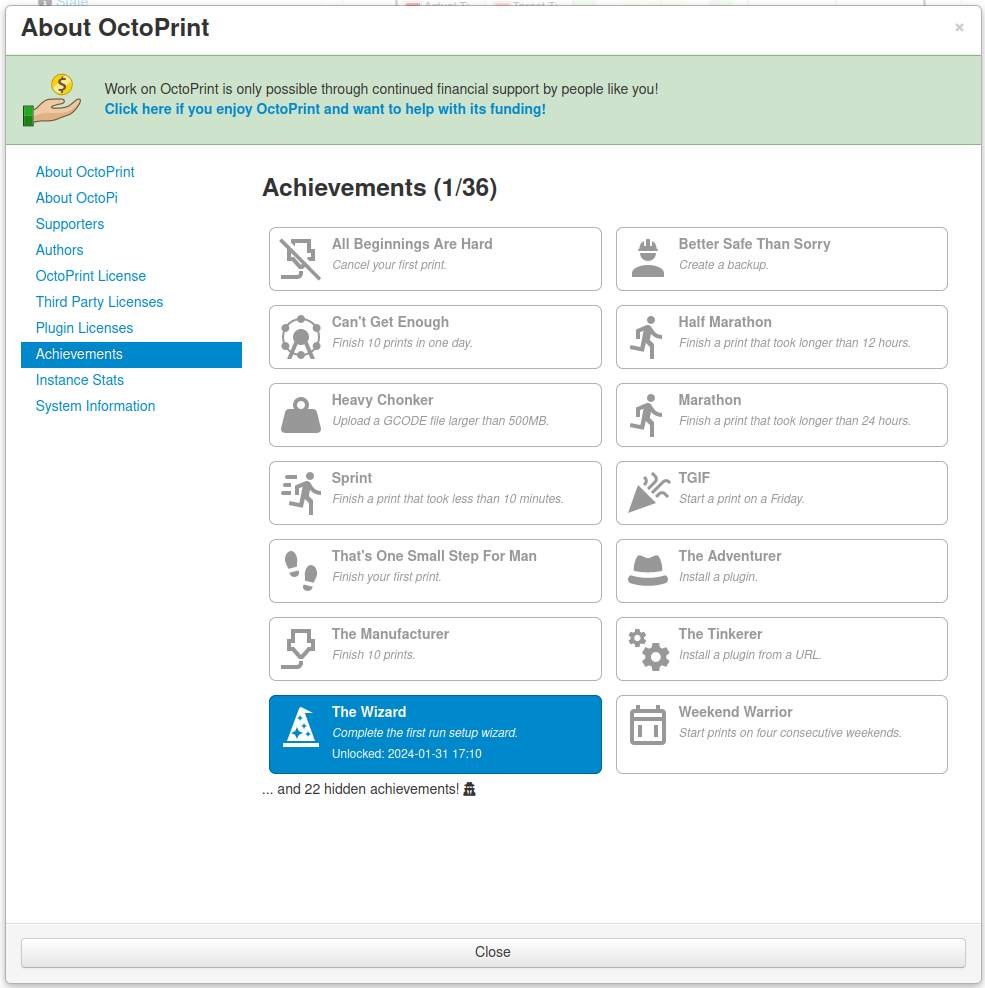
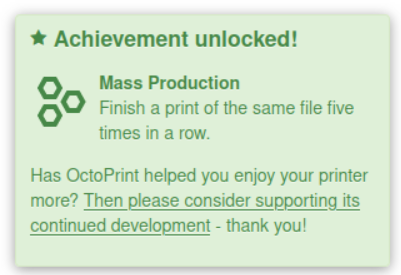
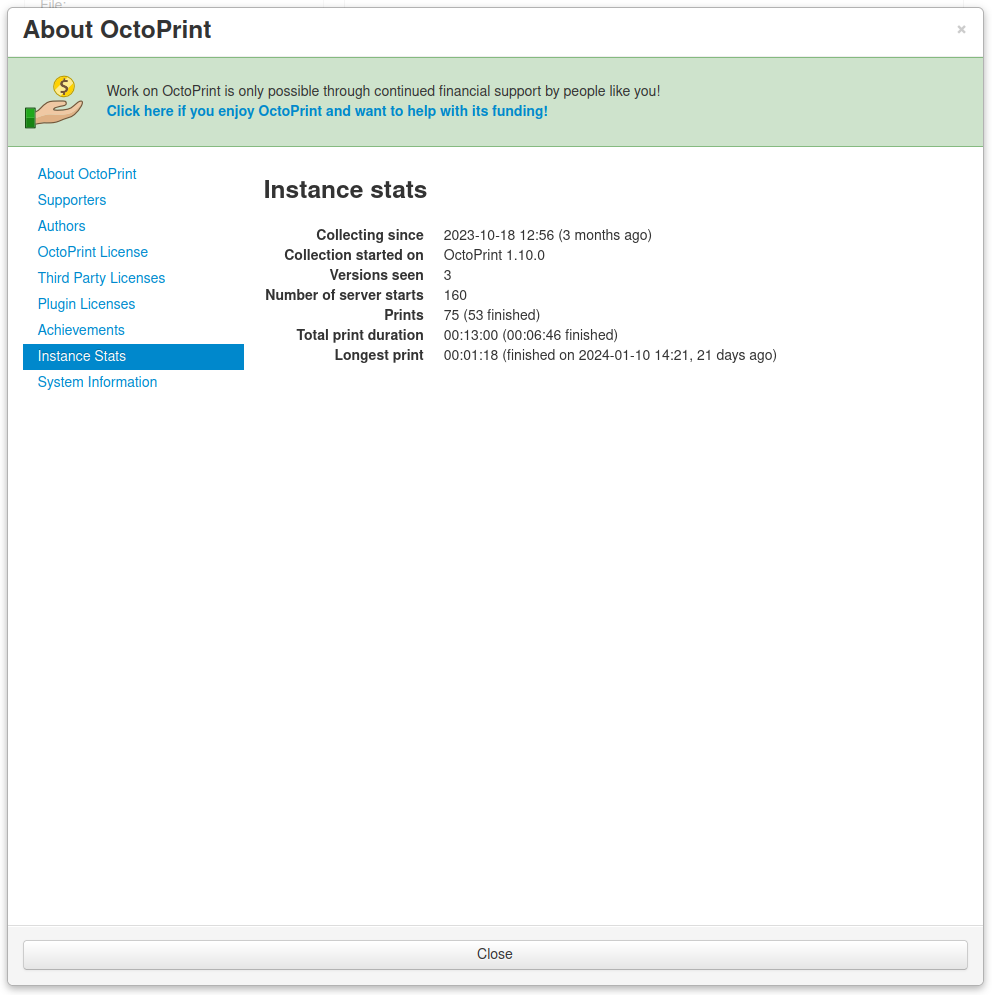
OctoPrint now has achievements! The new bundled Achievements Plugin will now internally record some instance stats and monitor some events and based on that give out various achievements. This version contains 36 achievements, 22 of which are hidden and for you to be discovered. Additionally, the instance stats are also being recorded per year to make it possible in the future to give you some yearly stats overview of your OctoPrint and printing use. Be sure to check out the screenshots below!
Unlocked achievements are also tracked via the Anonymous Usage Tracking. Of course, this can be disabled, and if you have not opted into tracking in the first place, nothing will be tracked, as always. Achievement stats are available on data.octoprint.org.
Since this question came up during the release candidate phase: The goal of these achievements is not to gamify OctoPrint, but rather to give you something fun while also making it more visible how this project is funded and how you can help, as that info is part of some of the achievements.
If you are not interested in achievements, just disable the bundled Achievements plugin via the plugin manager.
We got some huge performance improvements thanks to refactoring of the internal settings data structure and making the Tornado WSGI interface run multi-threaded. What this means for you is that OctoPrint’s web interface should now load significantly faster!
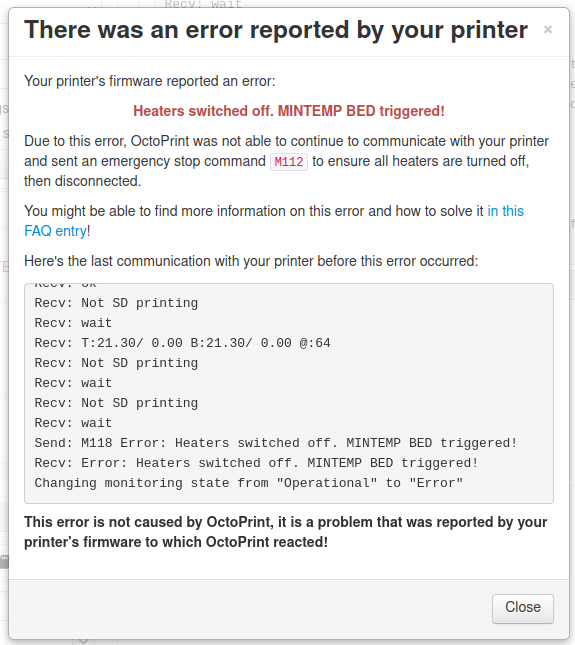
A new firmware error dialog has been added that gets displayed when the printer reports an unrecoverable error, containing the error message, what happened due to that error (print cancellation, disconnect), if available a link to an FAQ entry, the last lines of communication and a big reminder that printer errors are printer errors and not OctoPrint’s fault. For an example, take a look here.
The dialog will be automatically opened on connected clients, however it can also be accessed later by clicking on the new error icon added to the printer state panel. This will hopefully help all of you in the future to better understand what happened when your printer suddenly stopped printing, and where to start looking for a solution.
The system info bundle now contains a new section with information supplied by your printer’s response to M115, enabling people helping you with issues you seek help with to better understand your printer’s capabilities and firmware version, allowing them to better help you. Additionally, the abridged version of the bundle can no longer be mistakenly provided instead of the full bundle zip - it has been removed from the system info bundle page unless a debugging parameter is supplied.
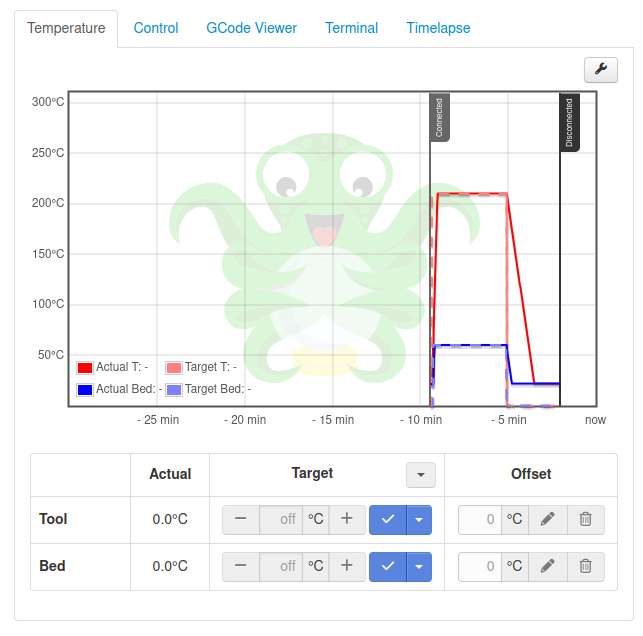
The temperature graph has gotten some love: The x axis is now always scaled to the last 30 minutes (or whatever cut-off interval you have configured), so things should no longer jump around right after connecting, target temperatures lines are now dashed to allow them to be better distinguished from the actual temperatures by more than just color (thank you @mintsoft!), and two new markers have been added to the graph to indicate when the printer got connected and disconnected again. See all of that in action in this screenshot.
OctoPrint now supports Python 3.12.
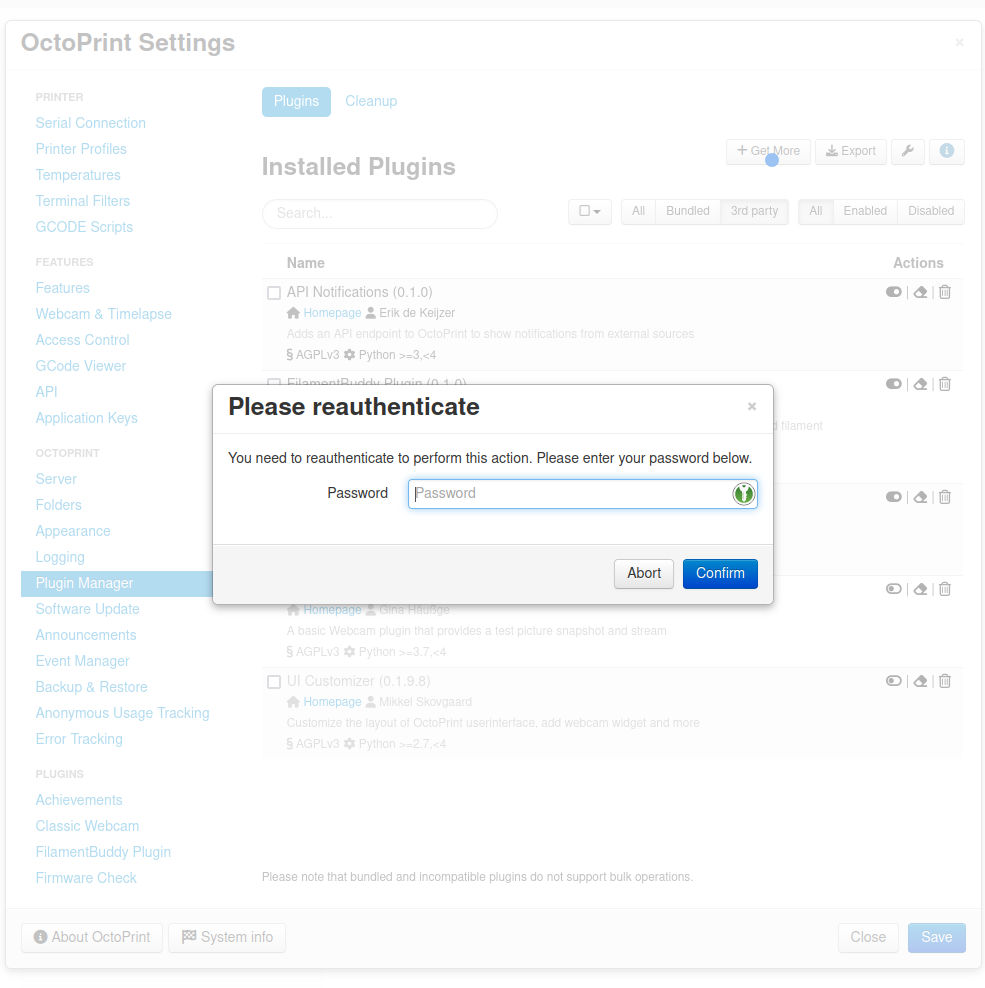
A new reauthentication dialog will now pop up when you haven’t entered your password in the past five minutes and are attempting to perform a potentially dangerous action (e.g. installing a plugin, adding a new user, etc) - see here how that looks. This also mitigates a moderate security issue responsibly disclosed by @tkruppert and further tracked in CVE-2024-23637.
It is no longer possible to abuse the webcam snapshot URL for XSS attacks. The URL is now properly escaped and no longer allows for arbitrary JavaScript execution. This mitigates a moderate security issue responsibly disclosed by @jacopotediosi and further tracked in CVE-2024-28237.
Several bugs have been fixed, including hardening the temperature offset code against empty temperature commands inside GCODE files, some regressions, an error when attempting to set a custom logging level under certain circumstances, folder sorting by date of last print, and more.
… and even more.
Issues while updating?
On every new OctoPrint release we see some people run into the same issues
with outdated or broken environments all over again. If you encounter a
problem during update, please check
this collection of the most common issues
encountered over the past couple of release cycles first, and test if the
included fixes solve your problem.
Also make sure to check any of the heads-ups
listed below.
Heads-ups
Please also take a look at the following heads-ups:
Heads-up: You will now be expected to re-enter your password on critical operations
This version of OctoPrint requires you to reauthenticate with your password every five minutes on various critical operations you might do on your installation, e.g. adding, changing and deleting users, adding, changing and deleting groups, installing plugins, revealing the deprecated global API key, generating, revoking, revealing and granting application keys, accessing the recovery page and downloading or restoring backups. This change matches best practices with regards to security of web applications and was done in order to protect you from various potential attack vectors.
If you do not want this reauthentication requirement, you can find information on how to disable it in the configuration docs. Be aware though that by doing so you’ll negatively impact your installation’s security!
Heads-up: Slow update if your Pi is still running pip <= 20.3 (e.g. as shipped on early OctoPi 0.18 preview versions)
During the release candidate phase we found that if your OctoPrint installation still is using a pip version below 20.3, updating to this version will take slightly longer than usual due to having to compile a third party dependency that got updated (zeroconf), as these ancient pip versions are not fetching the precompiled version from piwheels in this scenario. If you are affected, plan ahead accordingly and allow some time for the update or alternatively update pip (you can do that via the Software Update plugin’s settings). Most of you however should not be affected by this at all. If you are not running a prerelease version of OctoPi 0.18.0 (the stable release of 0.18.0 is fine!), you are likely not affected by this.
Thanks
Special thanks to everyone who contributed to this
release and
provided full, analyzable bug reports, suggestions, feedback and - of course -
funding
!
A special Thank You! to
these 22 fine people
for their PRs, and an extra warm welcome to our 14 first-time contributors! 🎉
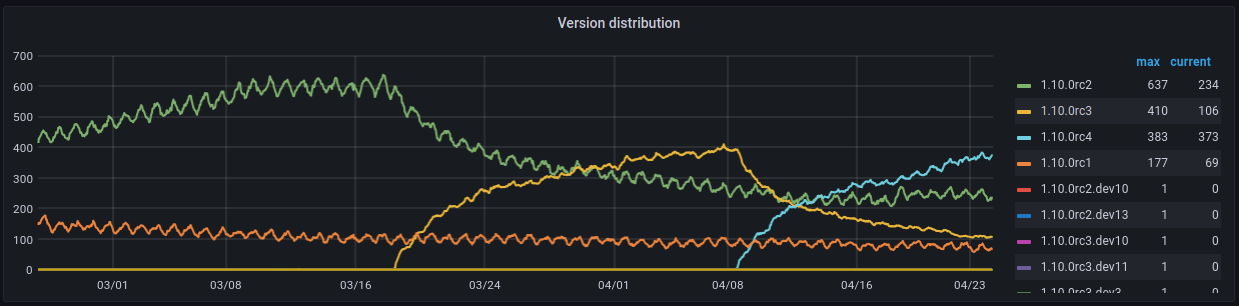
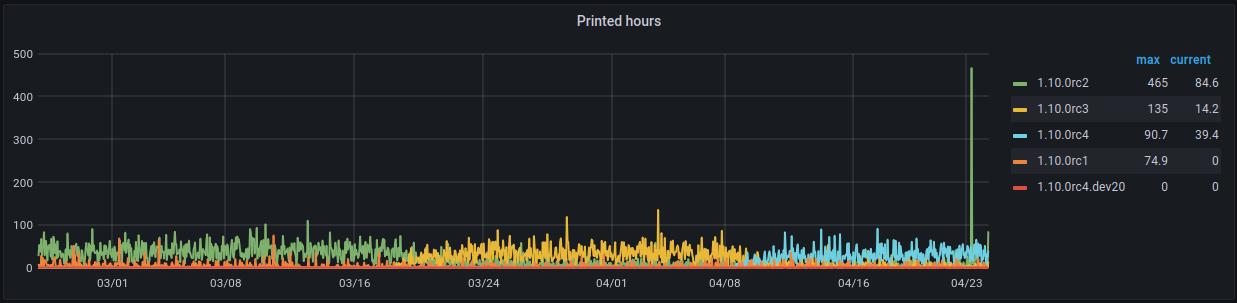
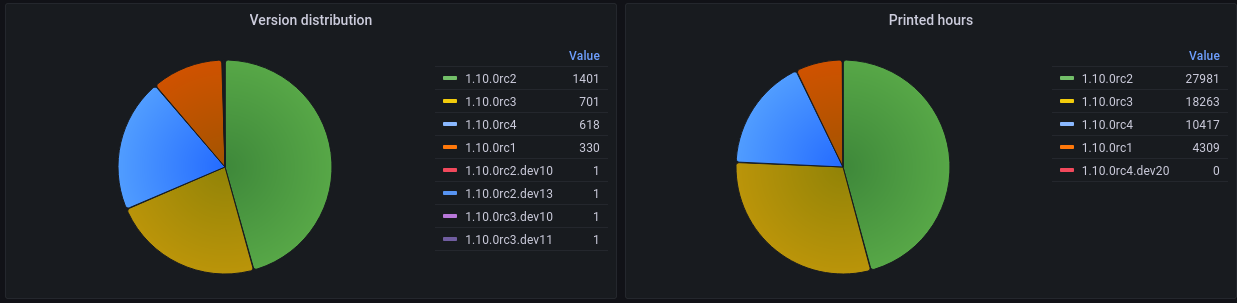
If you are interested in some numbers, here's some data extracted from the
anonymous usage tracking for the RCs that went before
1.10.0's stable release:
1.10.0rc3 (2024-03-18): 701 instances,
18263h
or 2.1 years
of accumulative printing time
1.10.0rc4 (2024-04-08): 617 instances,
10416h
or 1.2 years
of accumulative printing time
Due to this RC phase taking longer than 60
days, which is the current limit of the anonymous usage tracking, data for these
RCs is not fully available anymore:
1.10.0rc1 (2024-01-31)
1.10.0rc2 (2024-02-12)
Over the course of the past 60 days all in all there were 2080 instances that
participated in the RC testing phase and which collectively completed
61405h
or 7.0 years
of print jobs.
Further Information
If connected to the internet, OctoPrint will allow you to apply this update
automatically via an update notification. It may take up to 24h for this
notification to pop up, so don't be alarmed if it doesn't show up immediately
after reading this. You can force the update however via Settings > Software
Update > Advanced options > Force check for update.
If your update fails chances are high you are running into
one of the common update issues listed with fixes
here, so please
go through that FAQ entry first.
If you have any problems with your OctoPrint installation, please seek
support on the
community forum.